 MailyScaly
The automated emails I'm about to show you have generated over $5M in revenue.
Take a look at some of the results my team at mailyscaly.com has achieved for our partners.
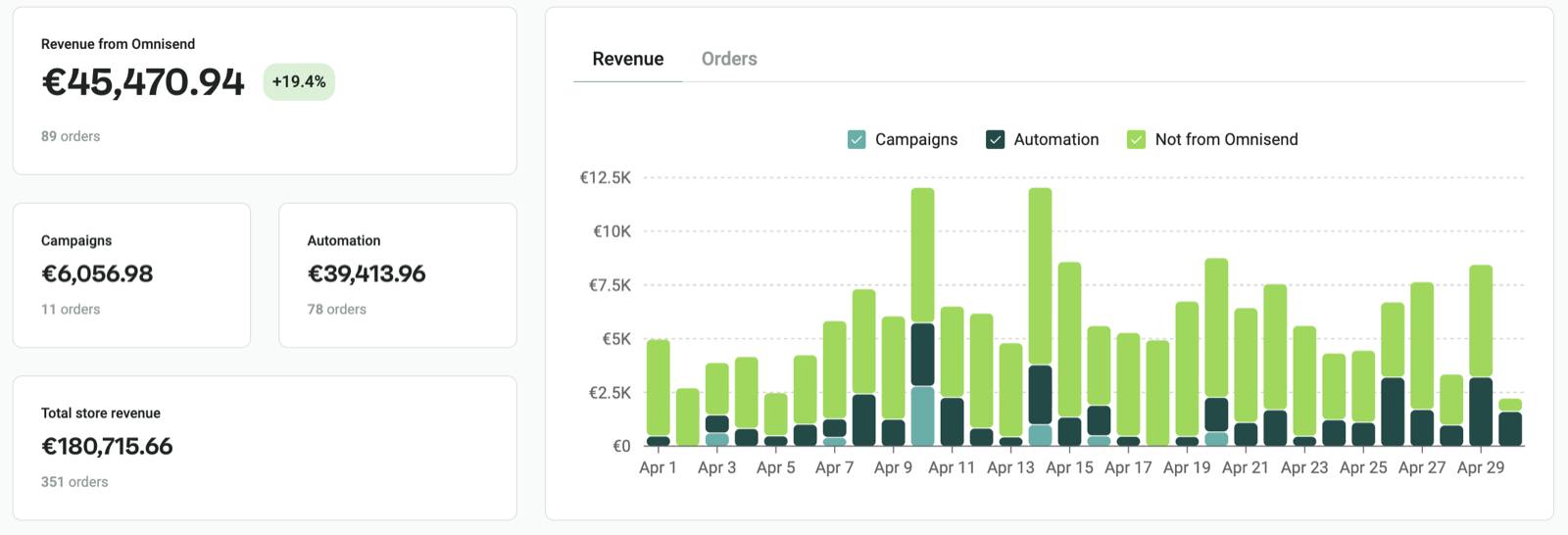
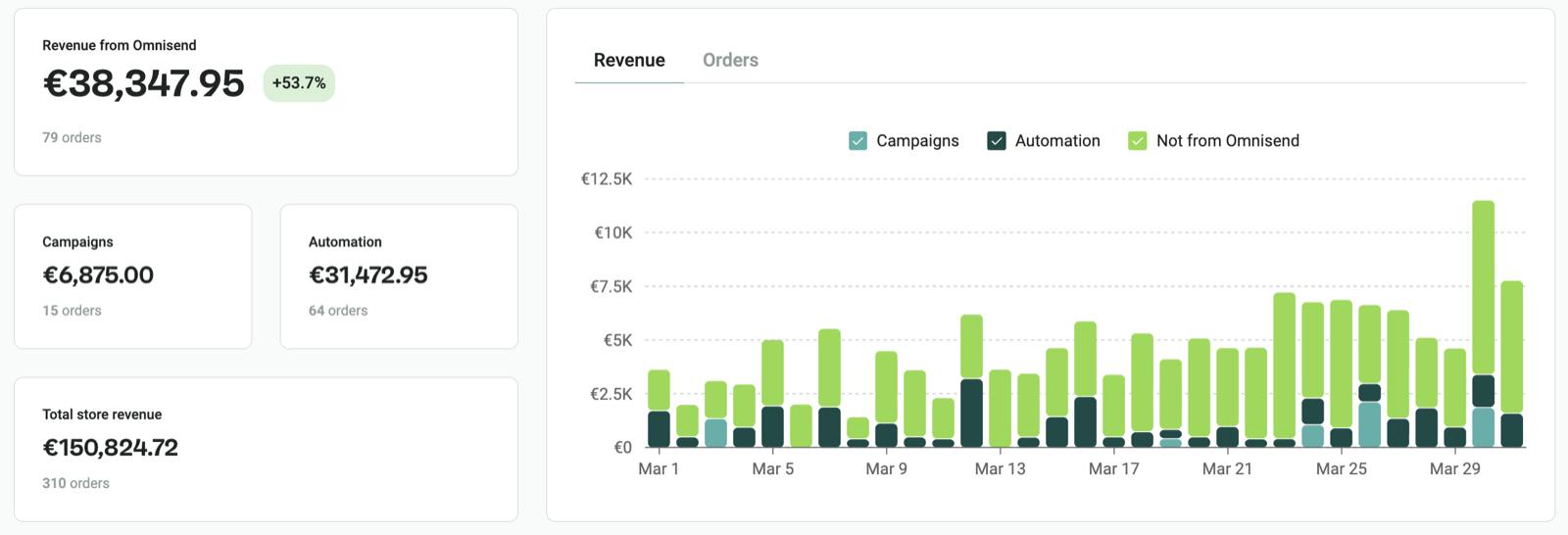
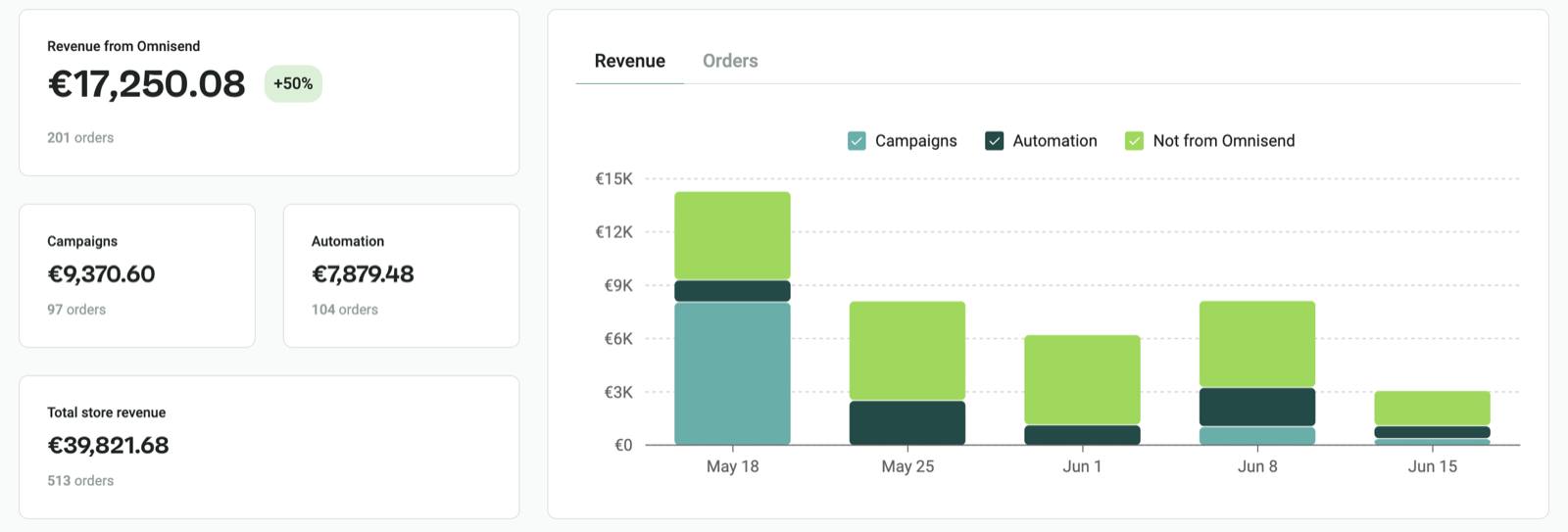
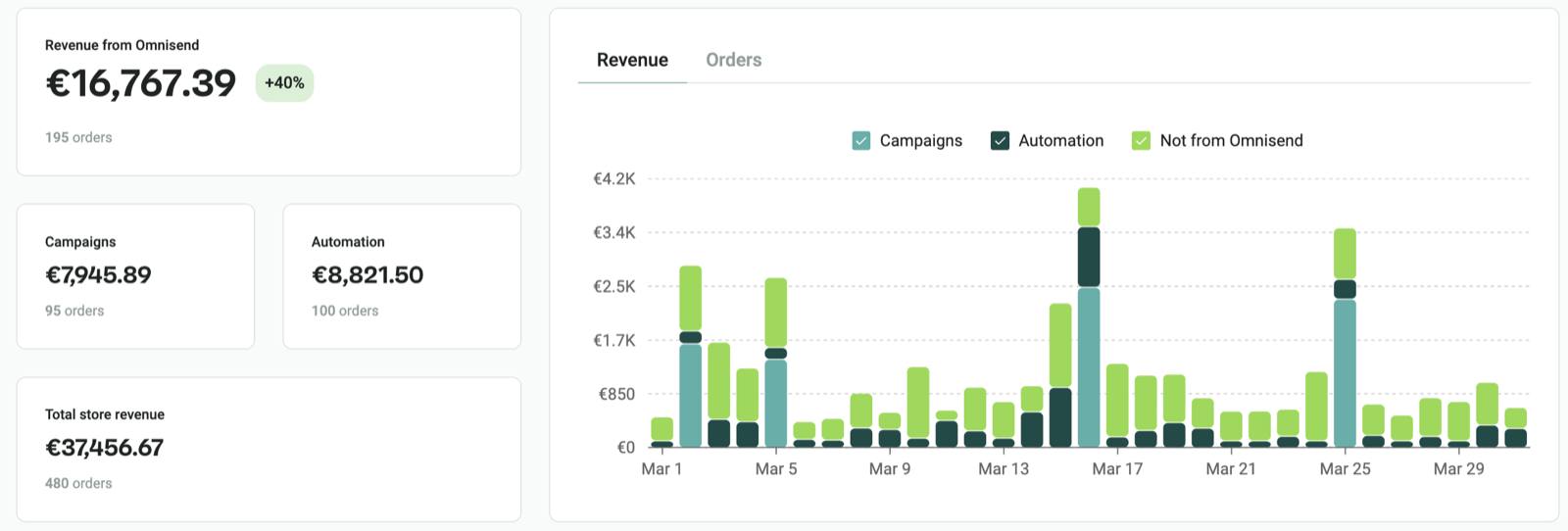
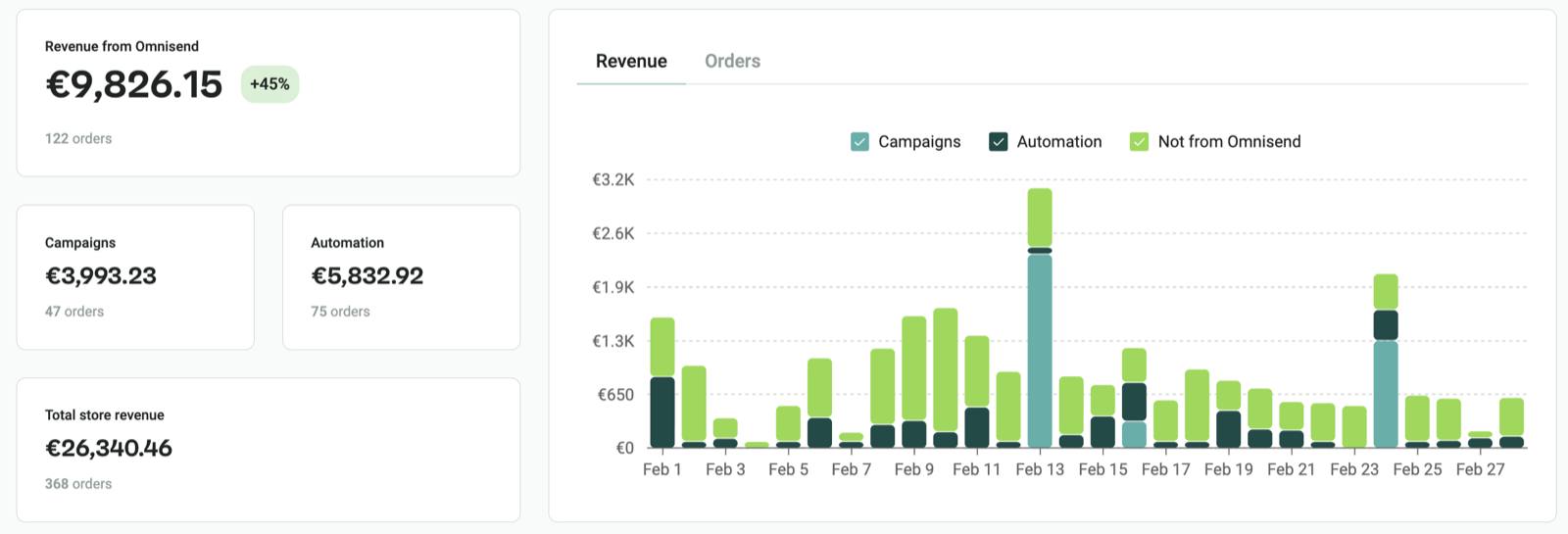
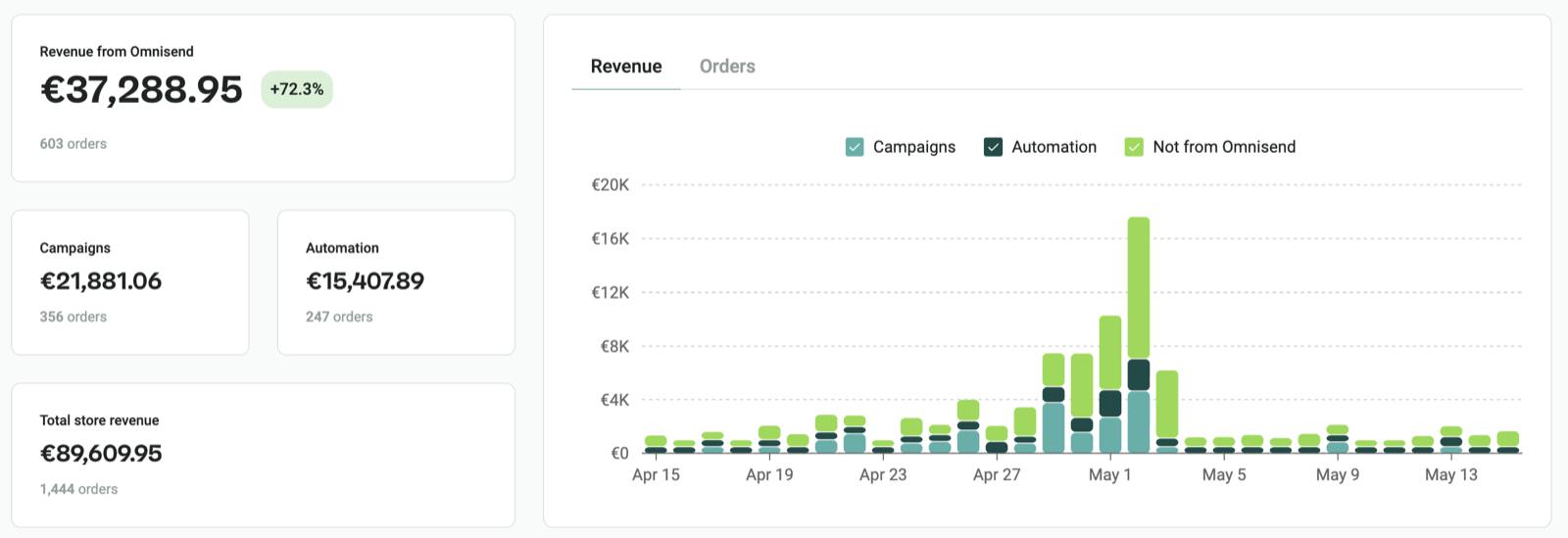
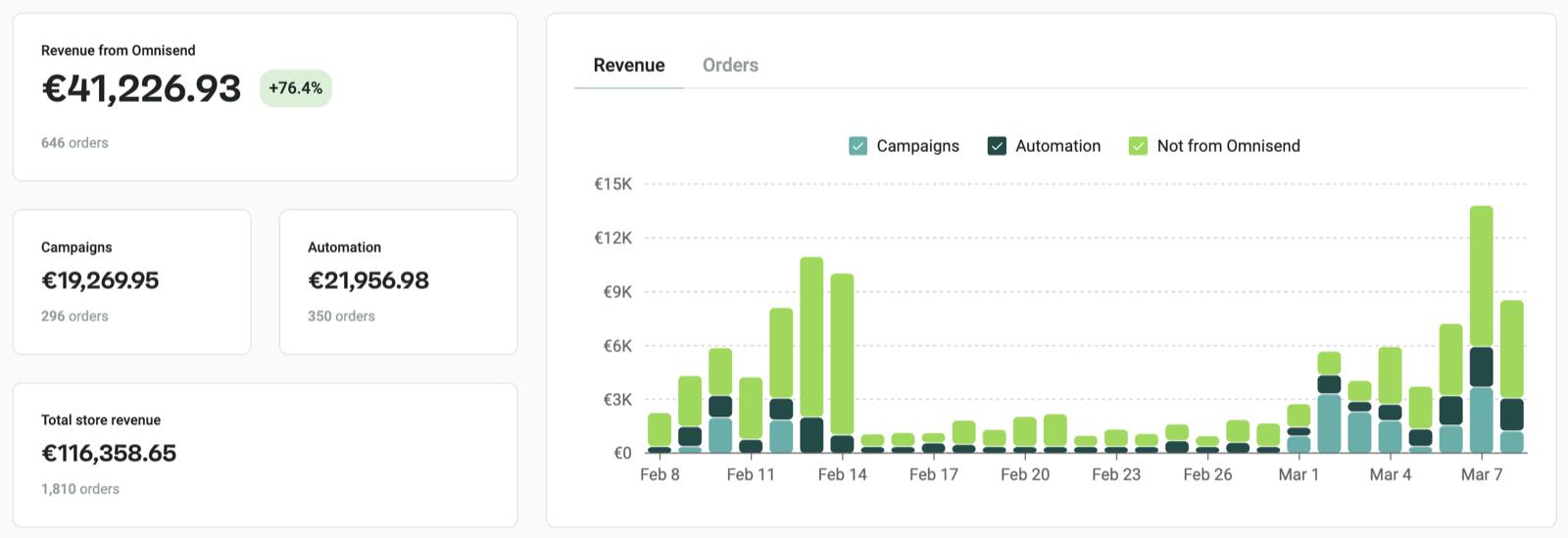
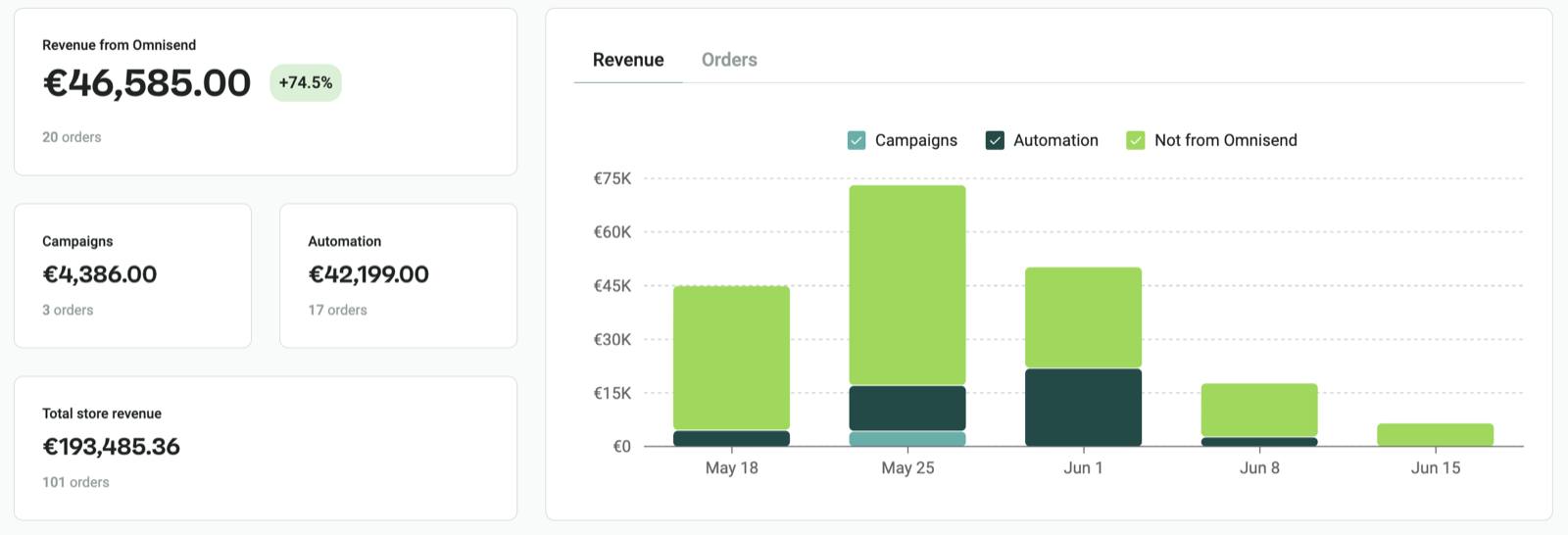
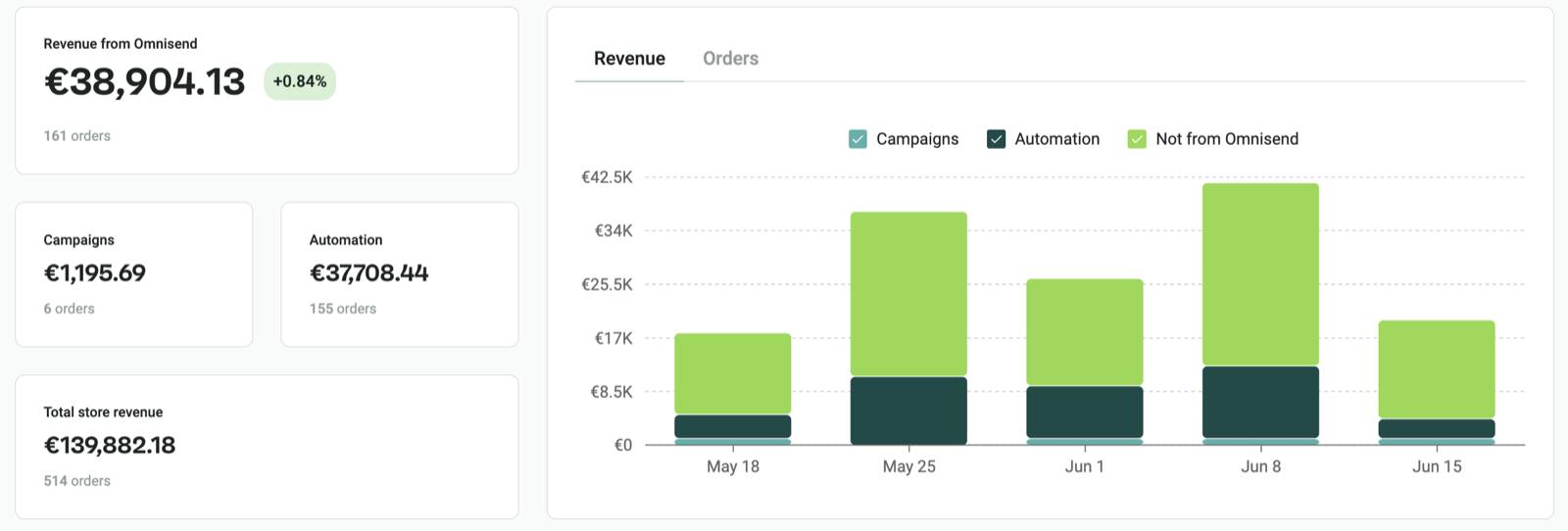
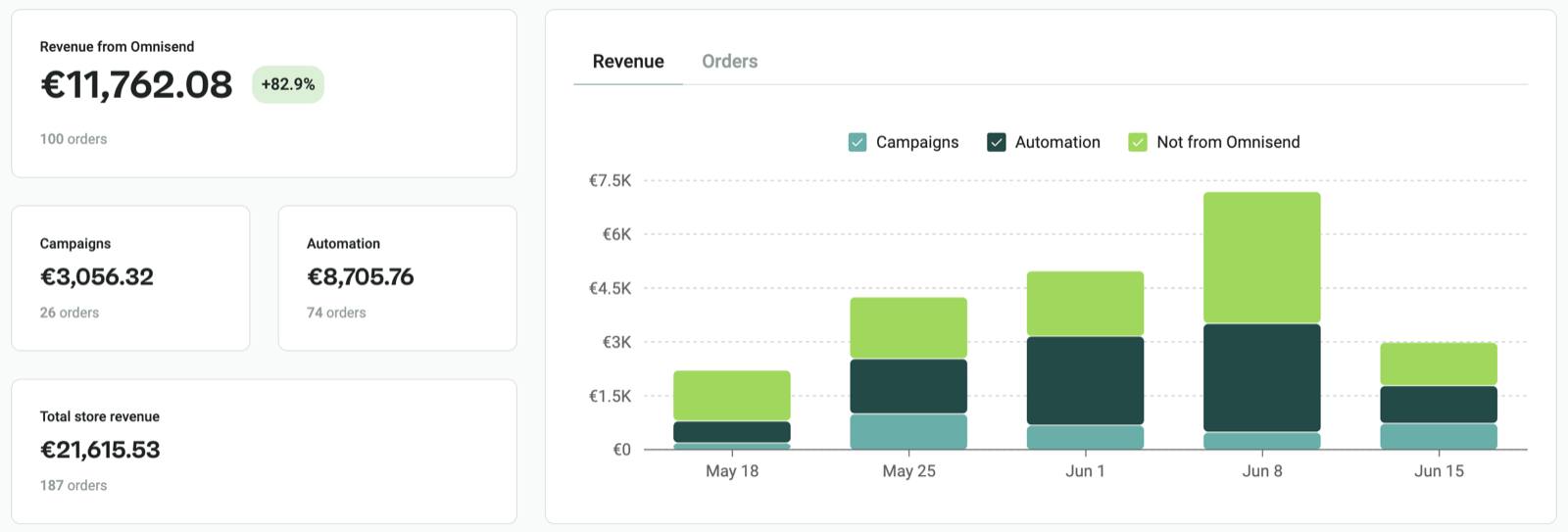
Client names hidden — we share results, not names.
Lukas Vincevičius
I'm Lukas, founder of MailyScaly — an email marketing agency. We've generated over $5M in revenue attributed to email marketing for our clients. I practically live inside Shopify and Omnisend :)

A copy-paste system, not theory
I'm going to share the exact copy-paste email automation system we use for our clients. You'll also get detailed explanations, email examples, and additional material on setting everything up in Omnisend.
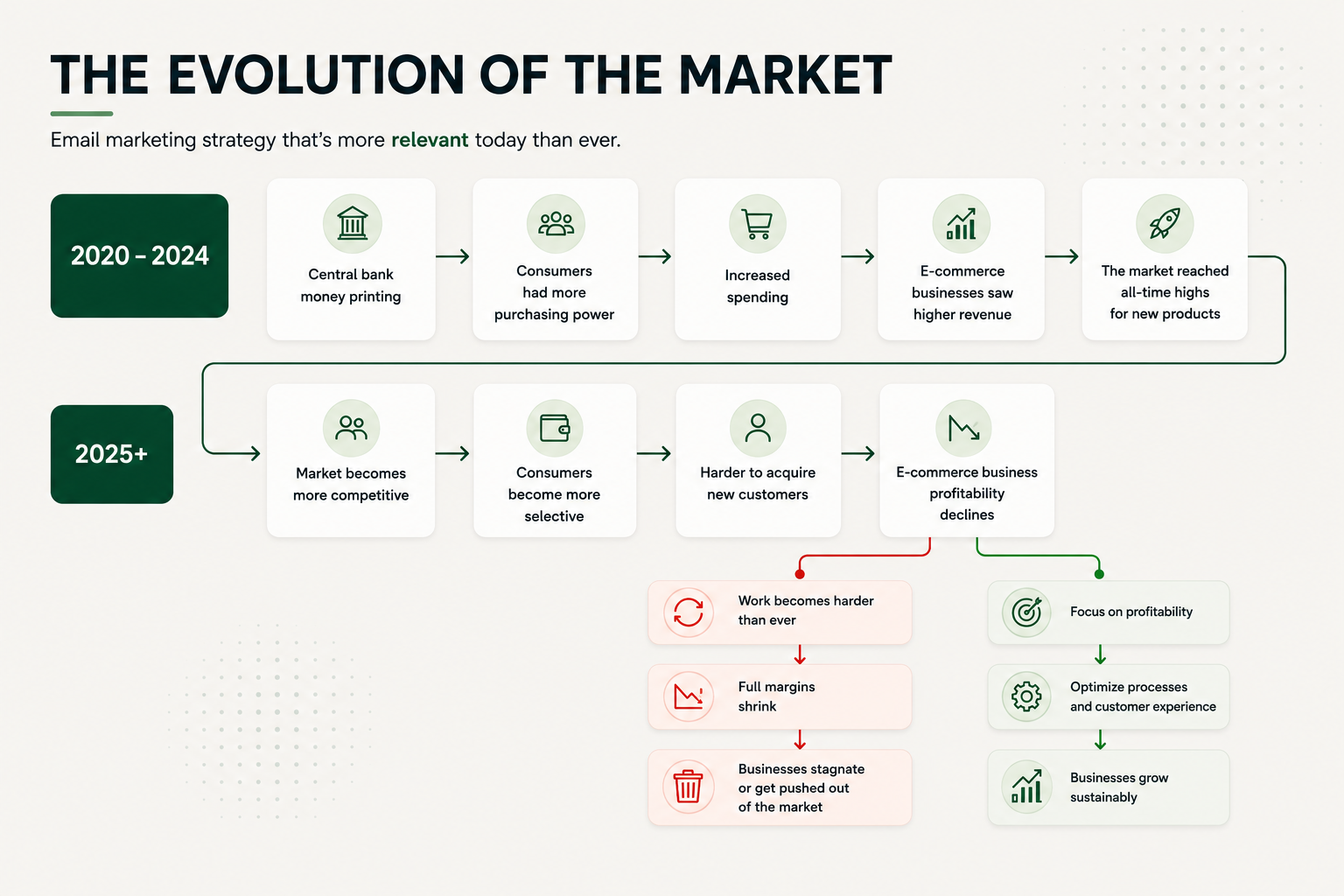
Profitability across the entire e-commerce industry is steadily declining, because customer acquisition costs keep rising.
Shoppers hesitate more, and they have thousands of other brands in your industry they want to browse and compare.
If you don't have mechanisms that warm up your audience and increase brand visibility — so you can convert visitors into customers more cheaply — your profitability will inevitably suffer.
Already have automated emails? You probably have a Welcome flow and an Abandoned cart flow — 2–3 emails each, untouched since the days we all had to wear masks outside... Flows need to be expanded, refreshed, and optimized as your brand and customers evolve. This guide shows you the exact structure.
So what are automated emails, and why use them?
A flow is a series of emails sent automatically after a specific action (e.g., an abandoned cart). Unlike campaigns, which you send manually to your entire list, flows run automatically once they're switched on.
| Flows (automations) | Campaigns | |
|---|---|---|
| How it's sent | Automatically, based on a trigger | Manually, to the whole list |
| Example | Abandons a cart → gets an email | Friday sale newsletter |
| When it runs | Always, in the background | Only when you hit "send" |
Why use them?
Well, first of all — more revenue. You've already seen the results and the kind of revenue email flows can generate.
Flows also create a better customer experience through personalization. Different customers at different stages of the customer journey need different information.
Set everything up once, and orders start coming in automatically every single day. Any email marketing platform you use will let you build automations using triggers that fire based on actions in your Shopify store.
Nail the basics first (80/20)
This brand came to us asking for advanced cross-sells, splits, and blah, blah, blah....
Instead, we focused on the fundamentals — and in just one month, we grew monthly revenue from $17,000 to $45,000. Using the exact same flow strategy I'm sharing with you in this guide.
I love advanced automations as much as the next person.. But mastering the basics delivers 80% of the results — and that's where you should start.
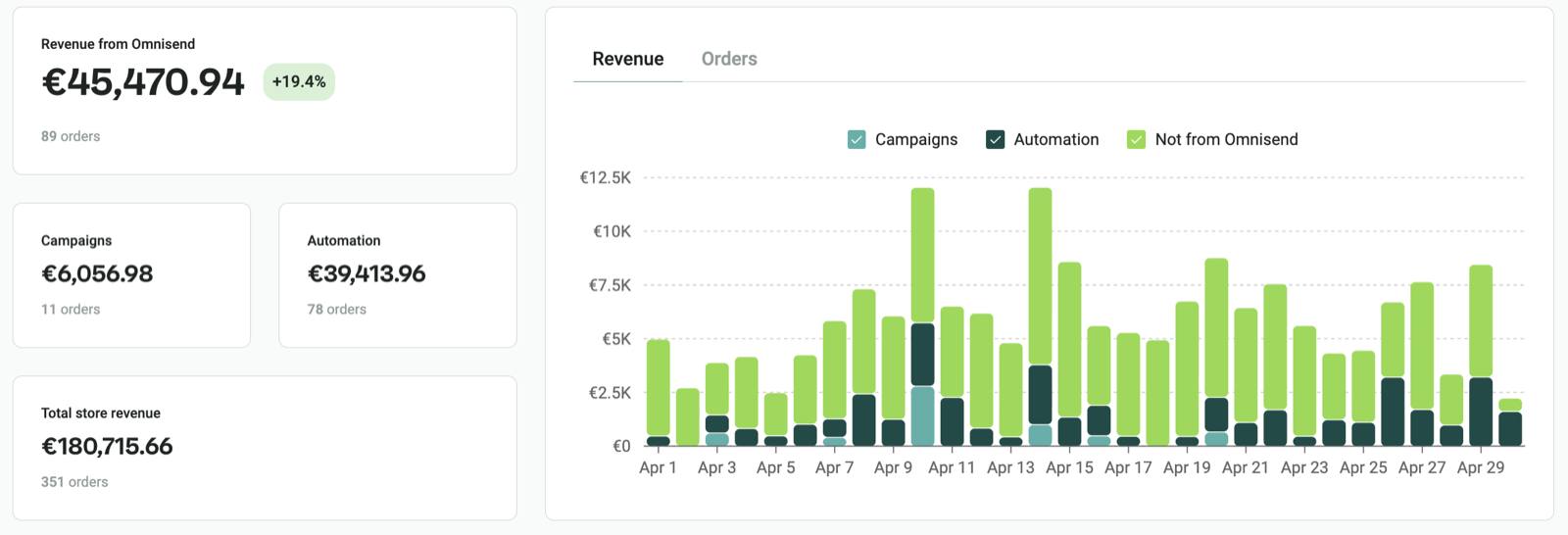
Client names hidden — we share results, not names.
Start with these automations:
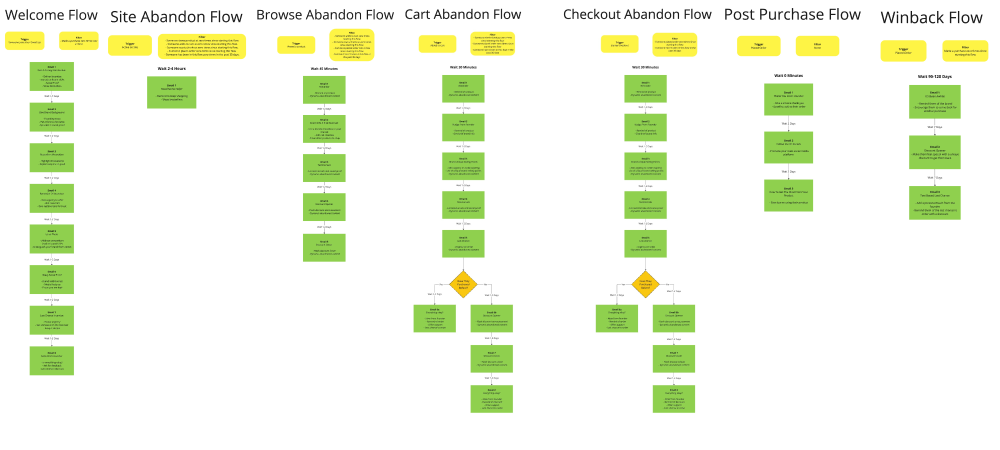
| Flow | Emails | Trigger (Omnisend) |
|---|---|---|
| 1. Welcome | 6–8 | Subscribed via a form |
| 2. Site abandonment | 1 | Active on site, didn't view a product |
| 3. Browse abandonment | 3–5 | Viewed a product |
| 4. Abandoned cart | 5–7 | Added to cart |
| 5. Abandoned checkout | 5–7 | Started checkout |
| 6. Post-purchase | 3–4 | Order placed |
| 7. Win-back | 3 | 60+ days after purchase |
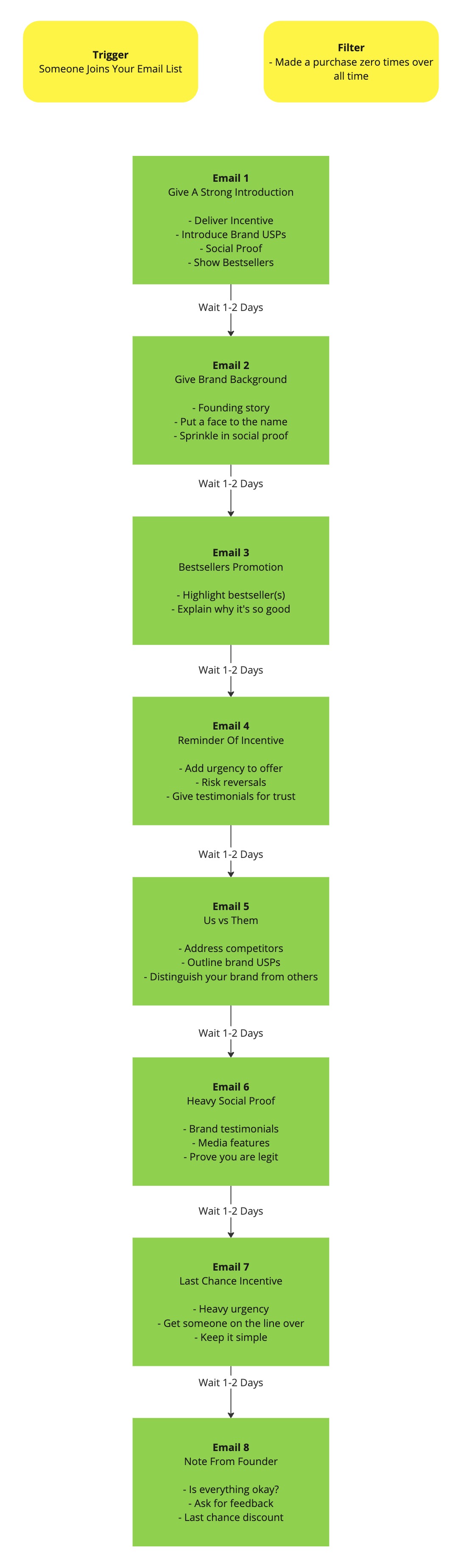
This one's for when someone joins your email list through a pop-up or a signup form.
4–10 emails sent after someone joins your email list.
- Deliver the welcome discount
- Introduce them to your brand
- Showcase your products
Trigger: Someone joins your email list
Exit: Makes a purchase
Welcome flow outcome A: Convert visitors who were just curious and would otherwise have left your site.
Welcome flow outcome B: Prime future customers to buy now that all their objections have been resolved.
Welcome series structureClick to see the flow outline
Email examplesClick to see email examples
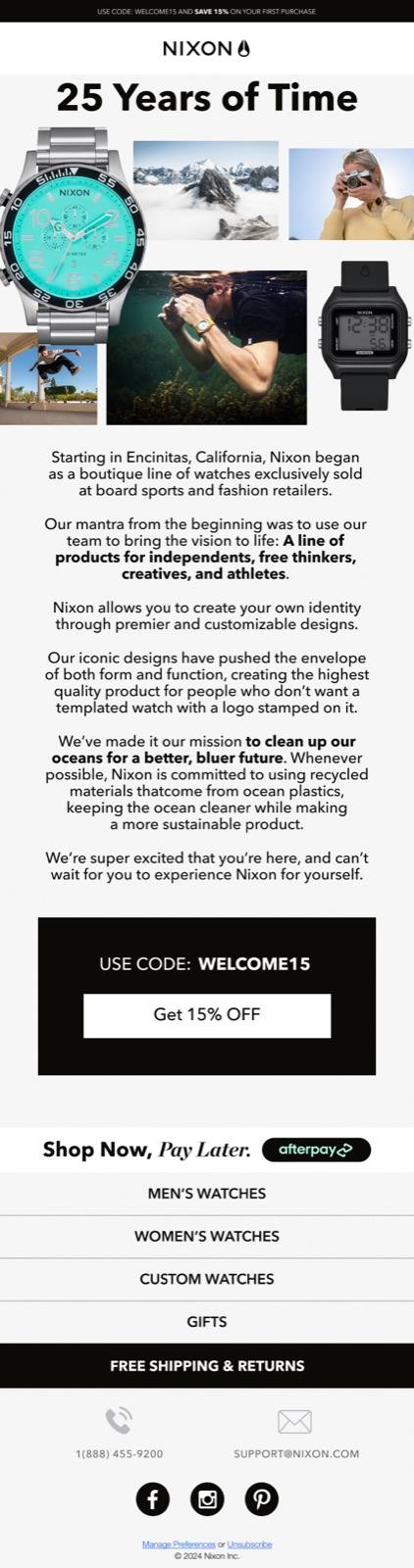

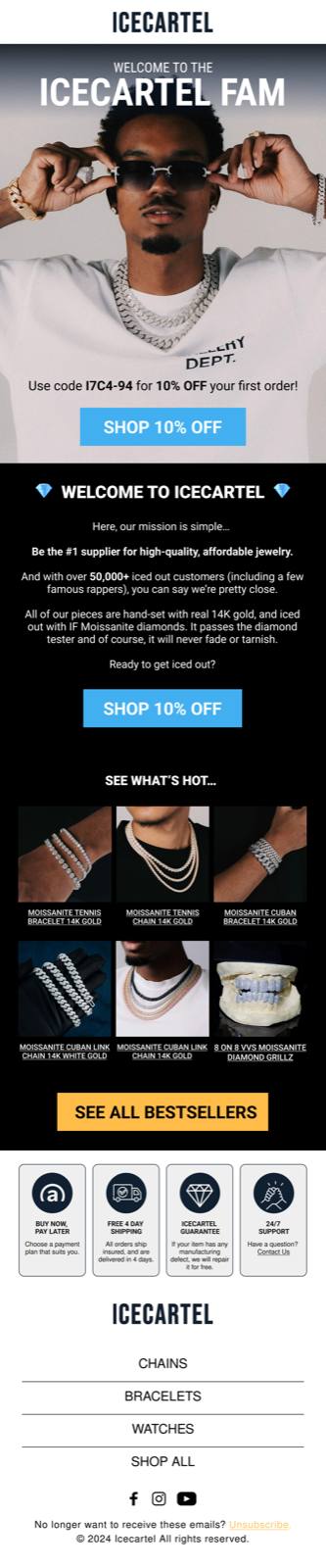
Click an image to open a larger version.
There are two reasons someone ends up in this flow:
They didn't find a product they liked.
They got distracted while browsing your site.
Either way, we want to make sure we remind them and nudge them back to browsing.
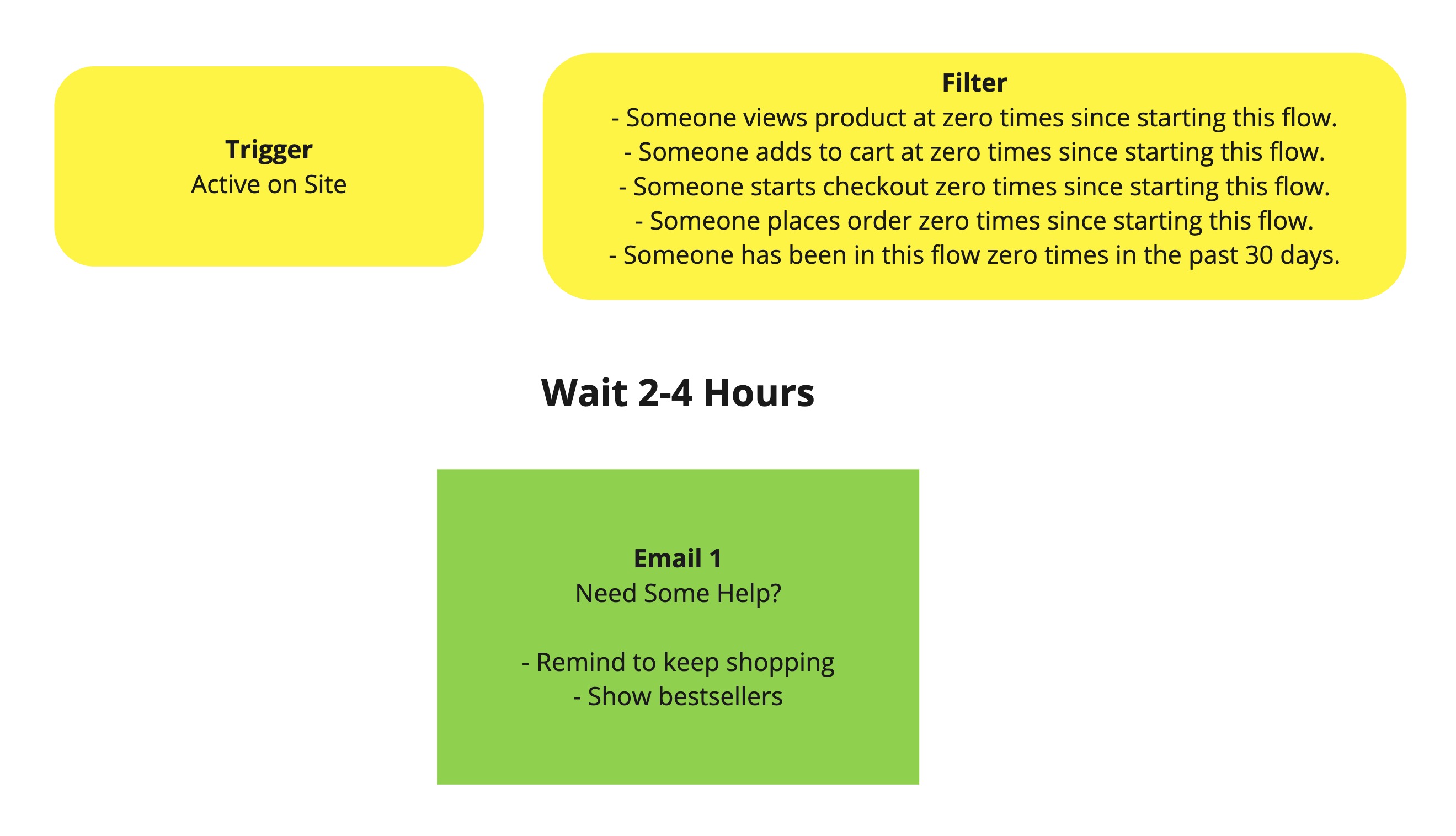
1 email sent when someone visits your site but doesn't click on a single product.
- Offer a helping hand
- Move them further along the buying journey (get them to view a product)
Trigger: Someone is active on the site
Filter: Hasn't viewed a single product since this flow started, Hasn't added a product to cart since this flow started, Hasn't started checkout since this flow started, Hasn't made a purchase since this flow started, Hasn't been in this flow in the last 30 days.
Site abandonment flow structureClick to see the flow outline
Email examplesClick to see email examples


Click an image to open a larger version.
This flow triggers when someone views a product but ultimately doesn't add it to their cart, doesn't start checkout, and doesn't buy.
There are plenty of reasons for that, but in most cases it happens because they weren't fully sold on the brand or the product yet.
The goal of this flow is to move them further along the buying journey.
Nudge them back to the product — or help them find another one they'll like even more.
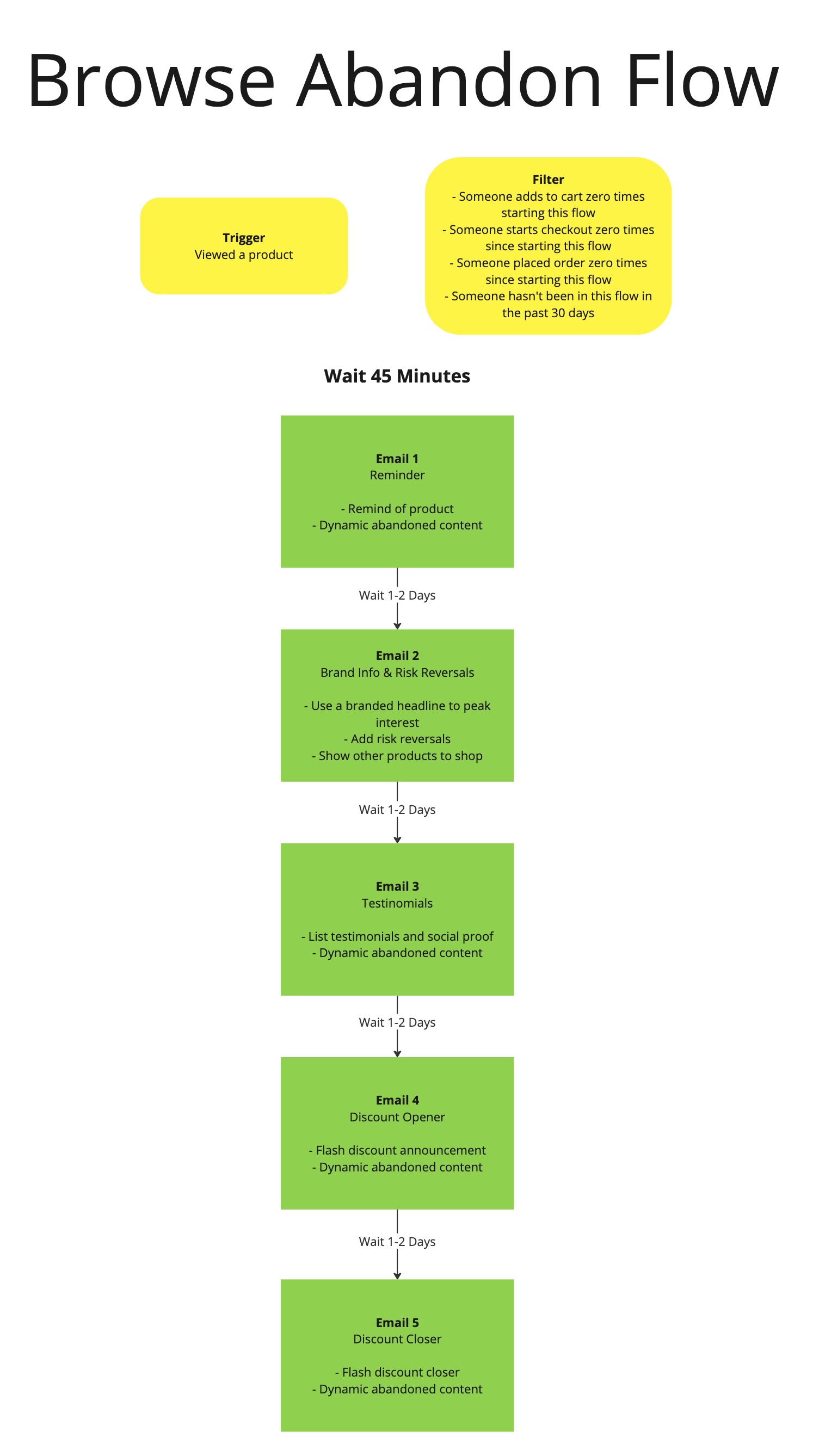
3–8 emails sent when someone views a product but doesn't move further along the buying journey.
- Remind them.
- Spark interest in your products.
- Provide social proof.
- Hasn't added a product to cart since this flow started.
- Hasn't started checkout since this flow started.
- Hasn't made a purchase since this flow started.
- Hasn't been in this flow in the last 30 days.
Browse abandonment flow structureClick to see the flow outline
Email examplesClick to see email examples
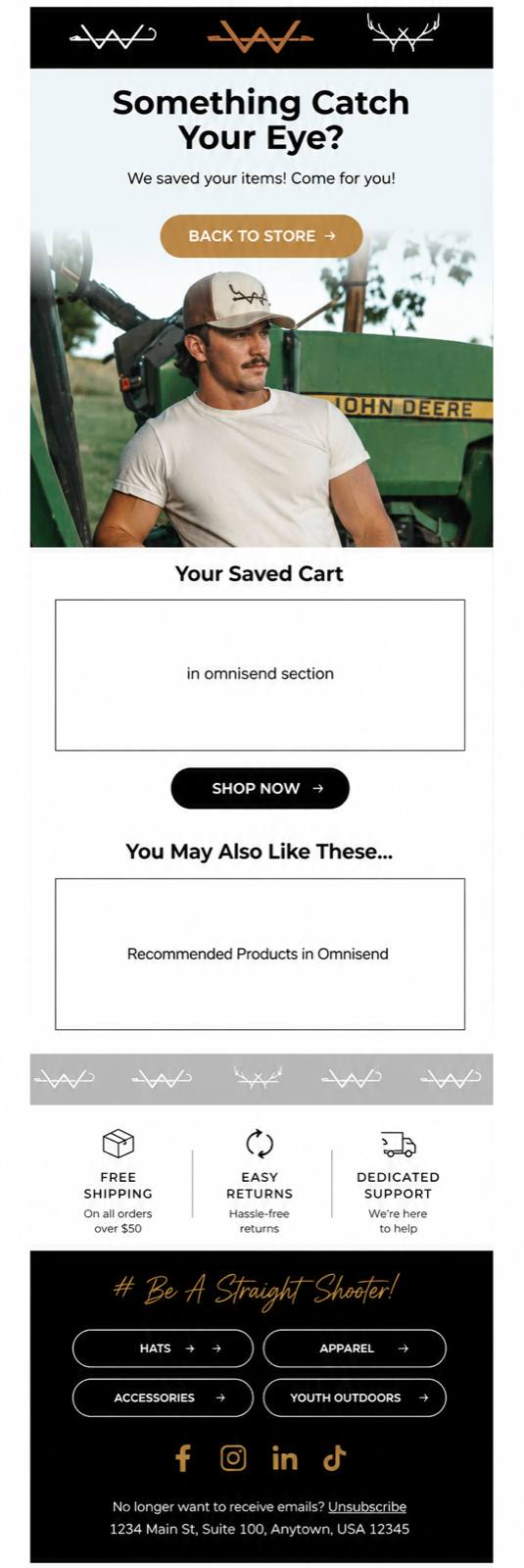
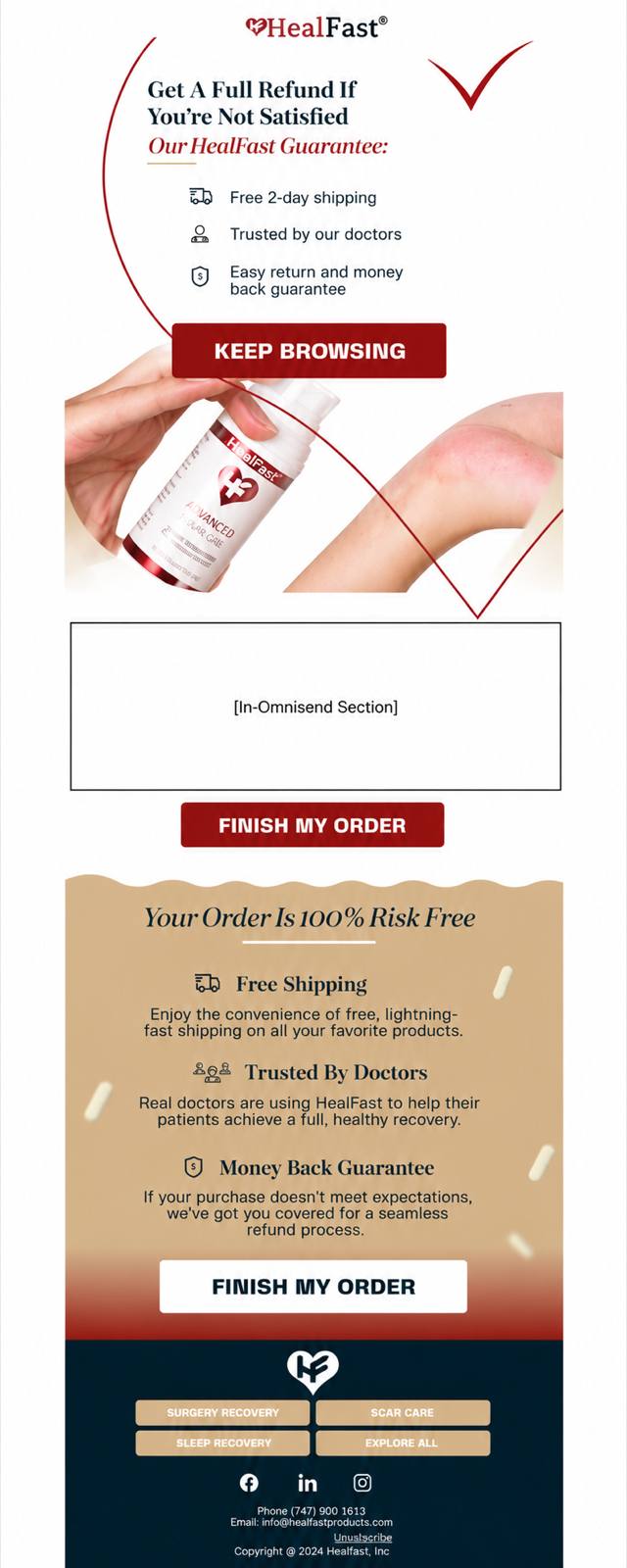
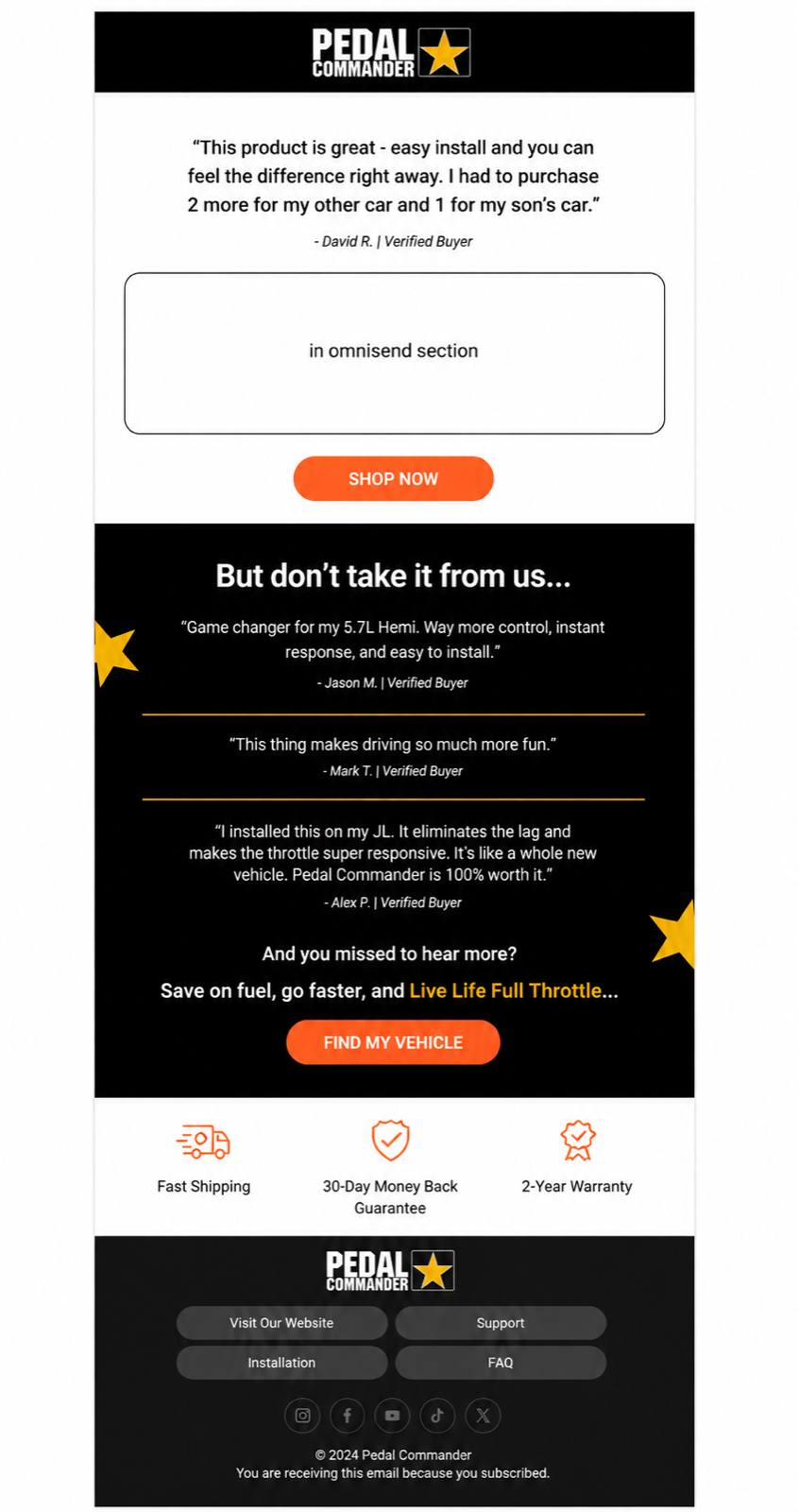
Click an image to open a larger version.
You've probably heard about these flows before, and for good reason. If they're not properly set up and optimized, you are quite literally leaving money on the table from people who were already in the buying process.
⚠️ The key insight here. Most stores' "abandoned cart" automation is actually an abandoned checkout flow. These are TWO different flows — without a true abandoned cart flow, you're losing the majority of abandonments.
- Remind them.
- Show how great the product is.
- Provide social proof.
- Reduce perceived risk.
Trigger: Added an item to cart
Filter: Start the flow if the cart hasn't been updated for 1 hour.
Exit: Customers leave this flow when they place an order or reach checkout.
Trigger: Started checkout
Filter: Start the flow if the cart hasn't been updated for 1 hour.
Exit: Customers leave this flow when they place an order.
Abandoned cart and checkout flow structureClick to see the flow structure
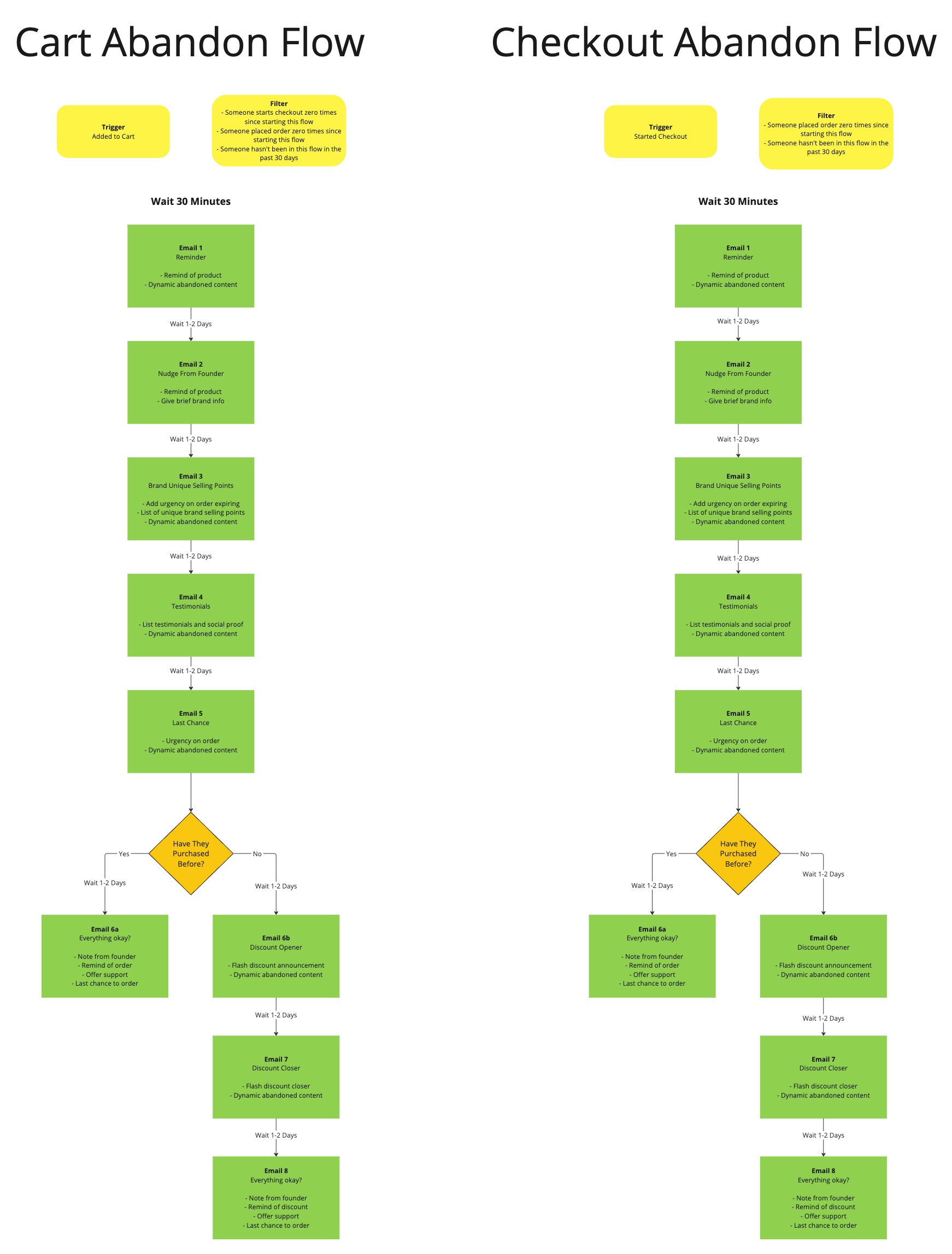
Email examplesClick to see email examples
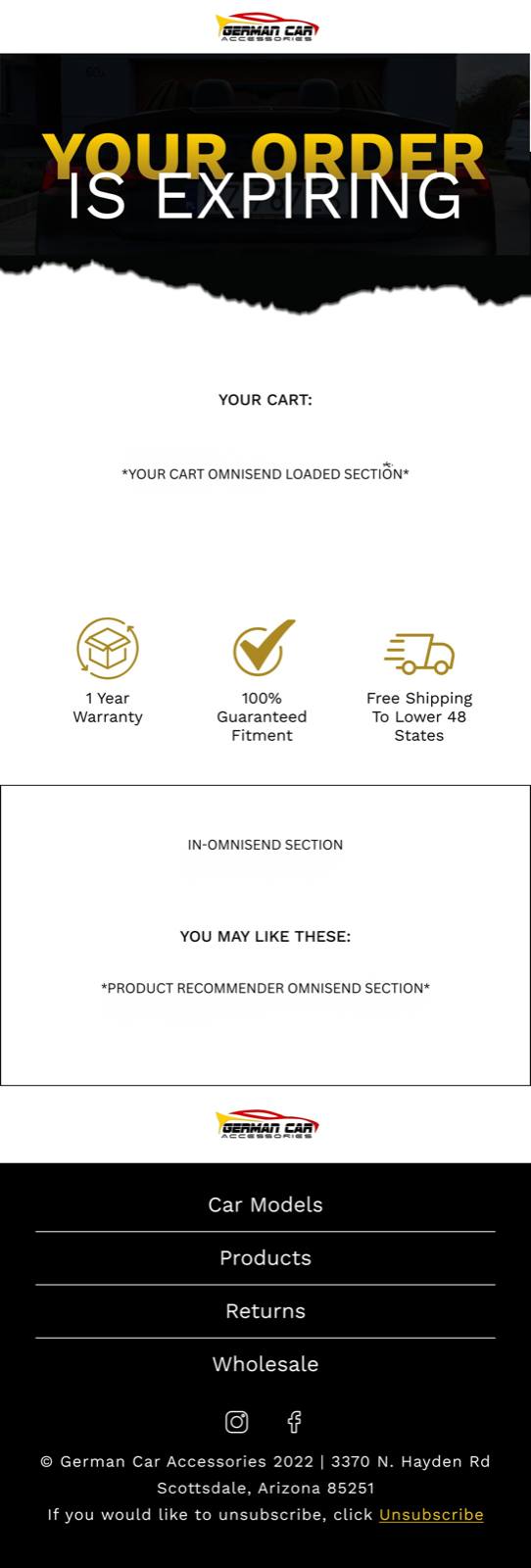
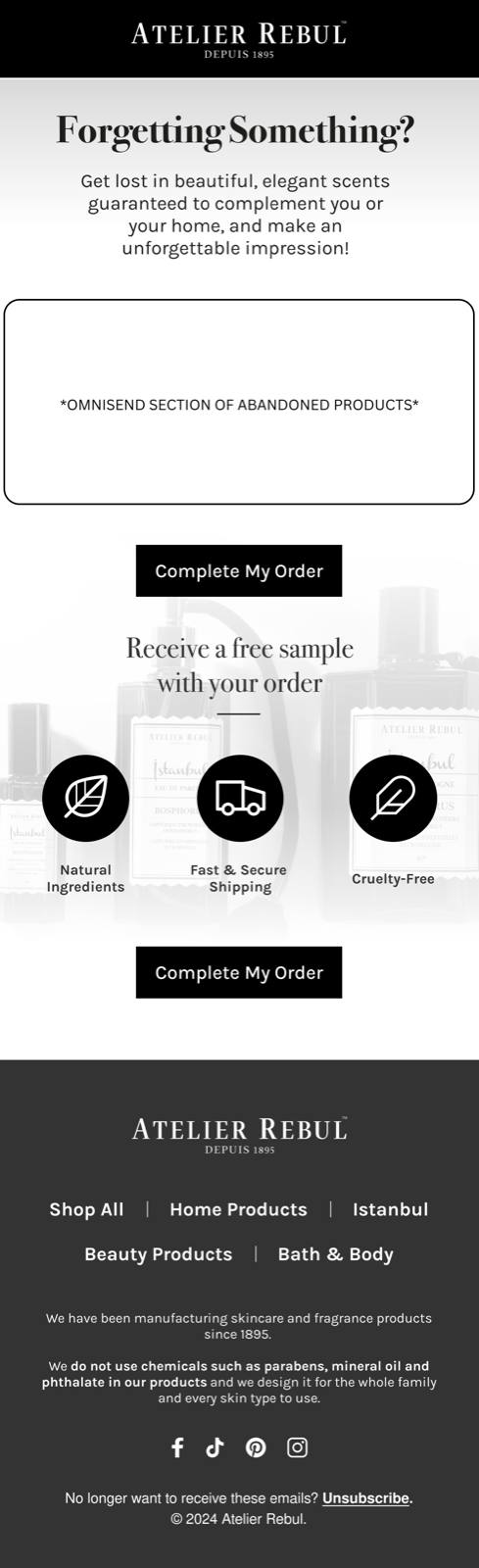
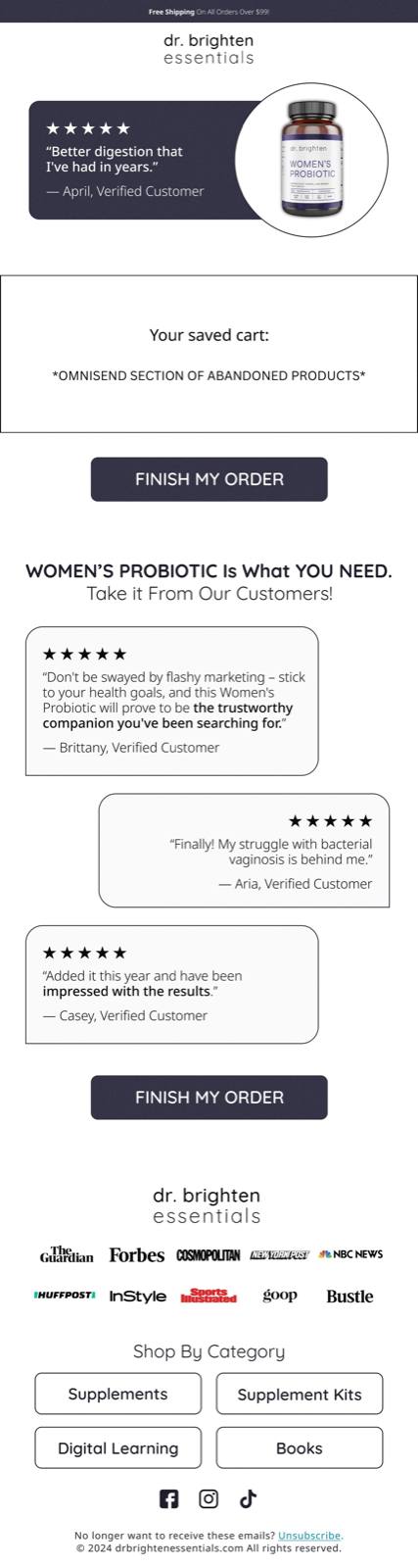
Click an image to open a larger version.
This flow triggers right after someone makes a purchase.
There are many different directions you can take this flow...
You can focus on community building, upselling and cross-selling, collecting customer reviews, and so on.
I like to keep things simple.
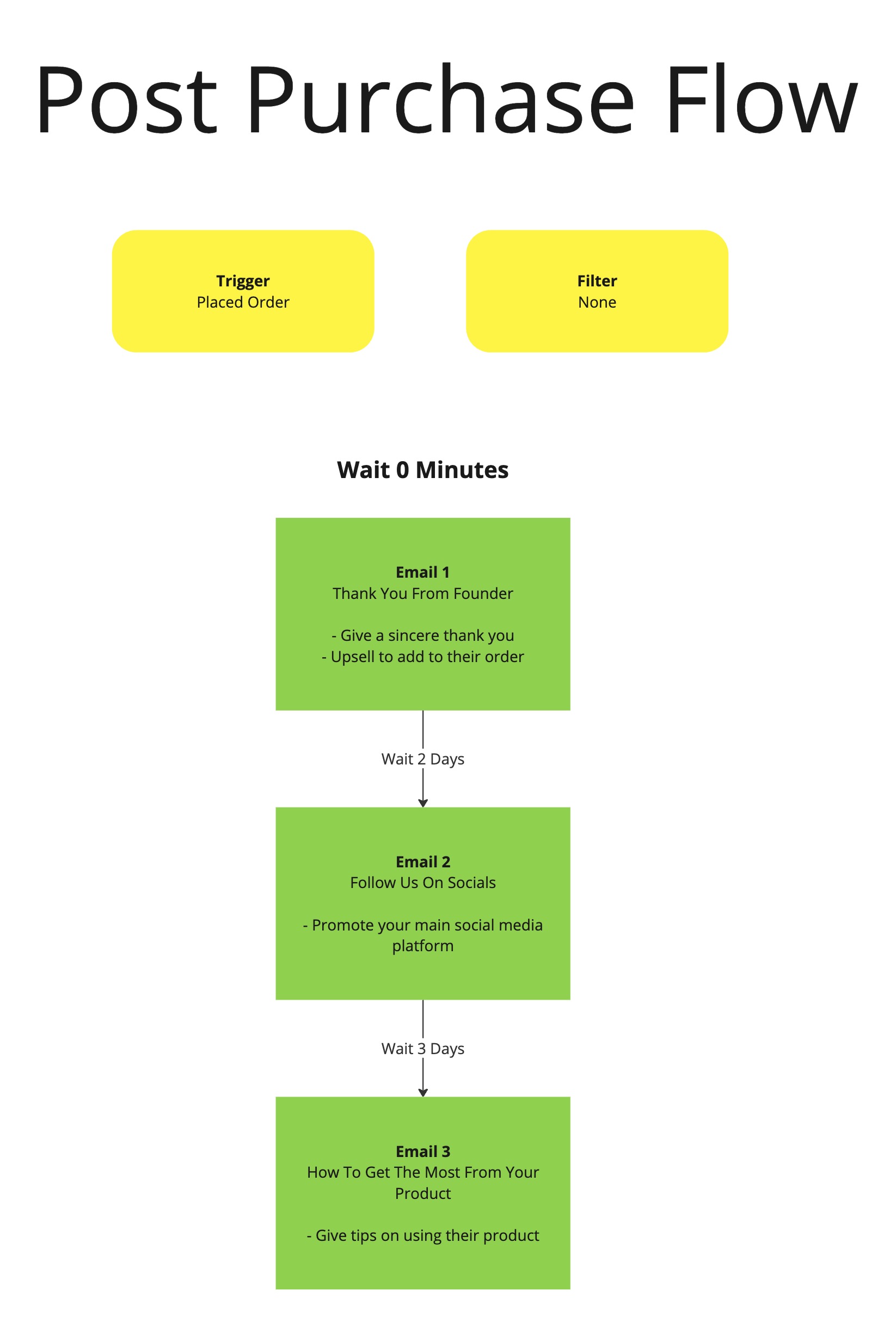
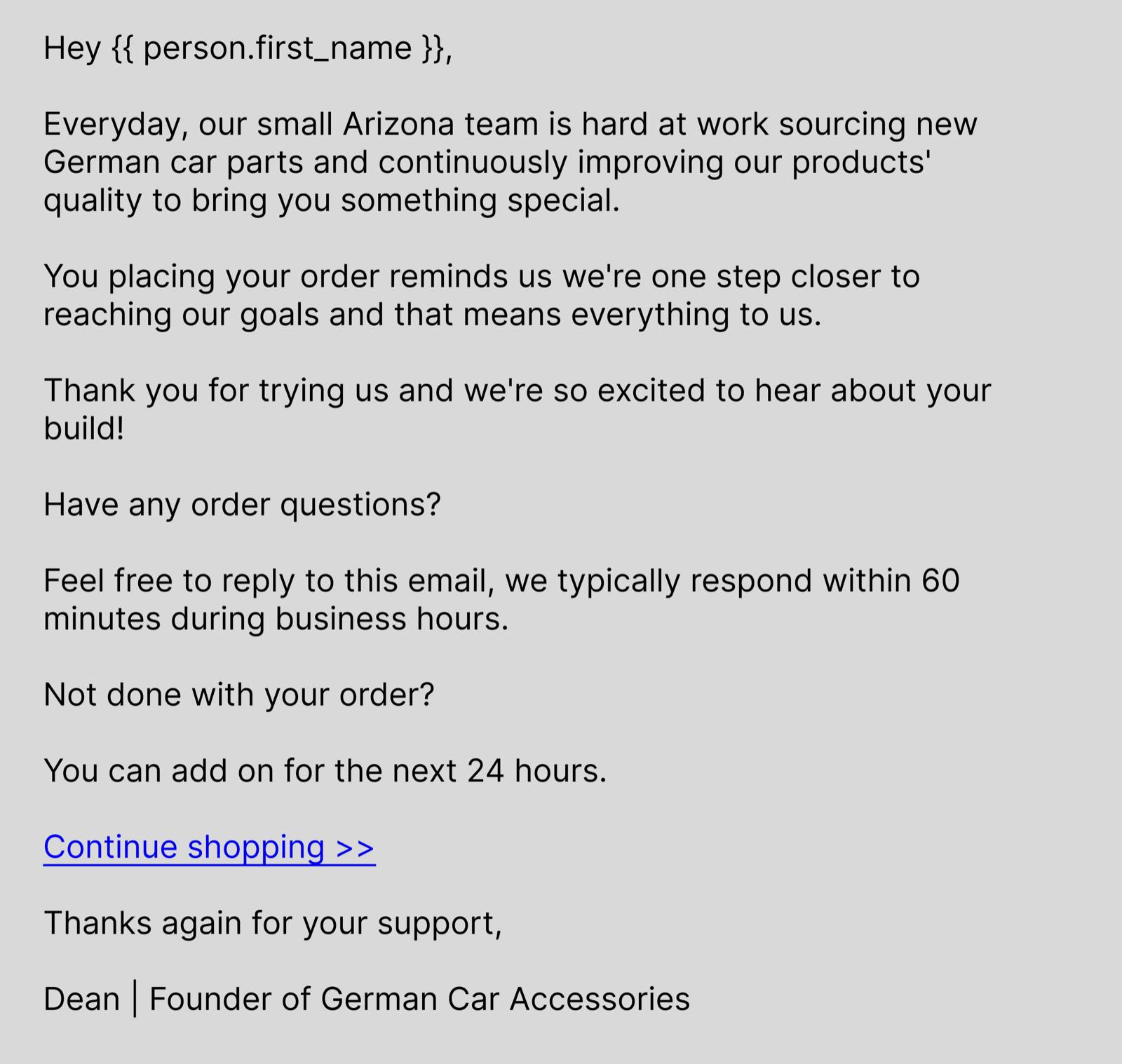
Improve the customer experience with a genuine thank-you, build community, and show the customer how to get the most out of their product.
4 or more emails sent after someone places an order with you.
- Thank them sincerely.
- Eliminate buyer's remorse
- Gently encourage adding to the order.
- Collect a review.
Trigger: Order placed
Exit: none
Post-purchase flow structureClick to see the flow outline
Email examplesClick to see email examples

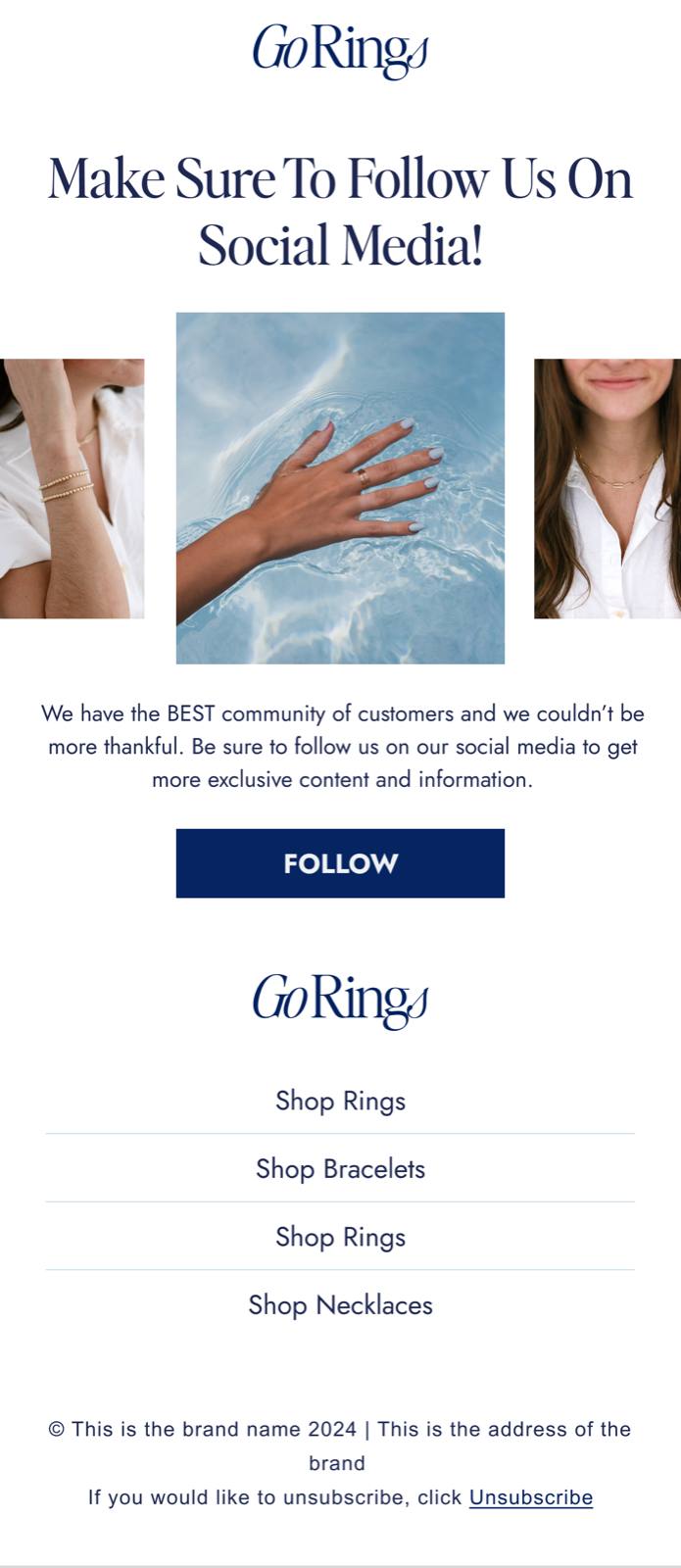
Click an image to open a larger version.
This flow is pretty simple — we just want to encourage past customers to make another purchase
Don't overcomplicate it.
These customers still receive your email campaigns, sales, and everything else you send to your email list.
We recommend sending 3–4 email campaigns per week, so 99% of your retention and repeat purchases will come from your campaigns.
That's why we keep the win-back flow simple and clear.
It's more about a better customer experience and automating at least part of the customer journey.
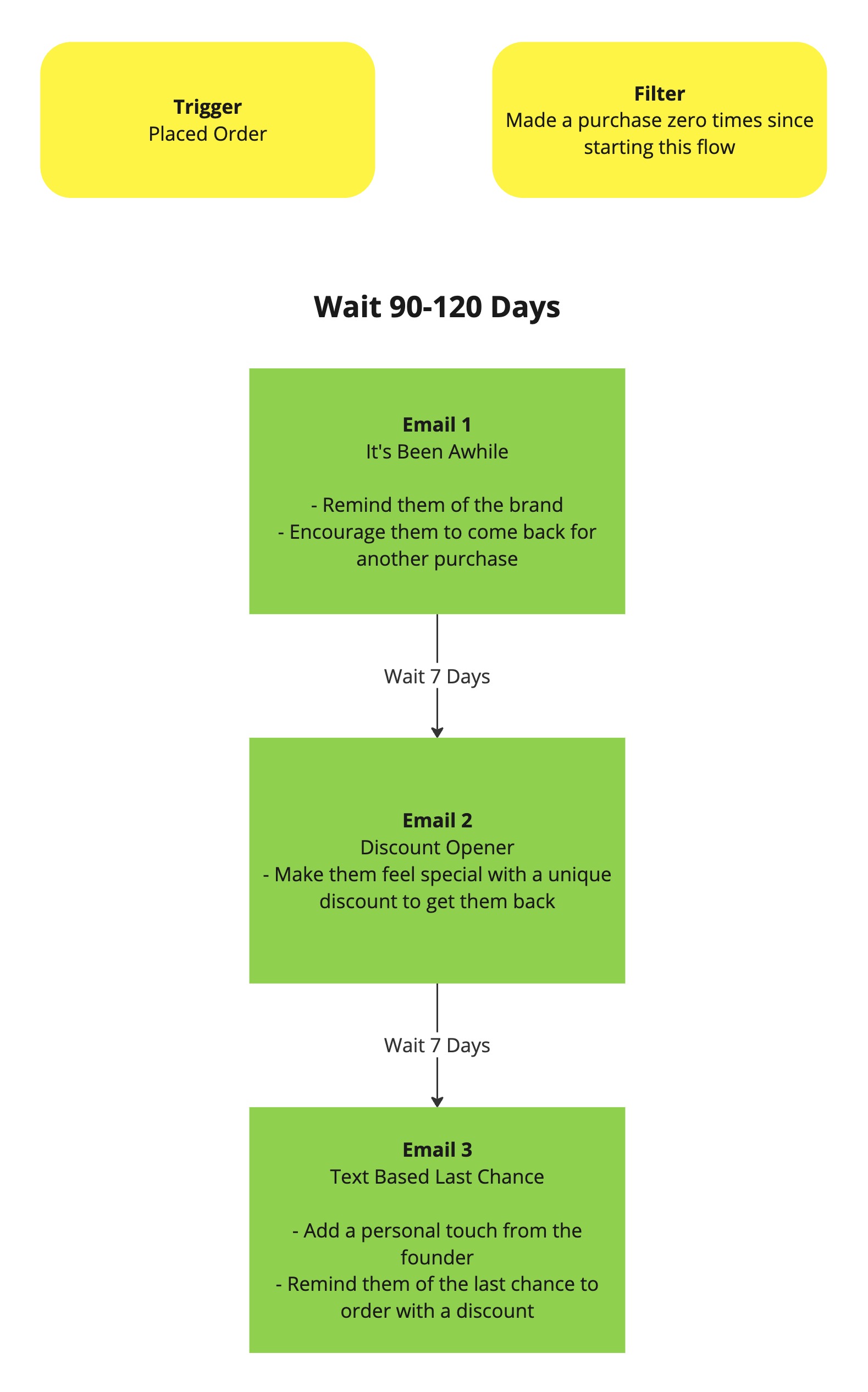
3–10+ re-engagement emails sent 60+ days after a previous purchase.
- Drive repeat purchases to increase customer LTV.
- Remind them to restock.
- Provide recommendations.
Trigger: order placed 60 days ago
Exit: Placed an order
Win-back flow structureClick to see the flow outline
Email examplesClick to see email examples
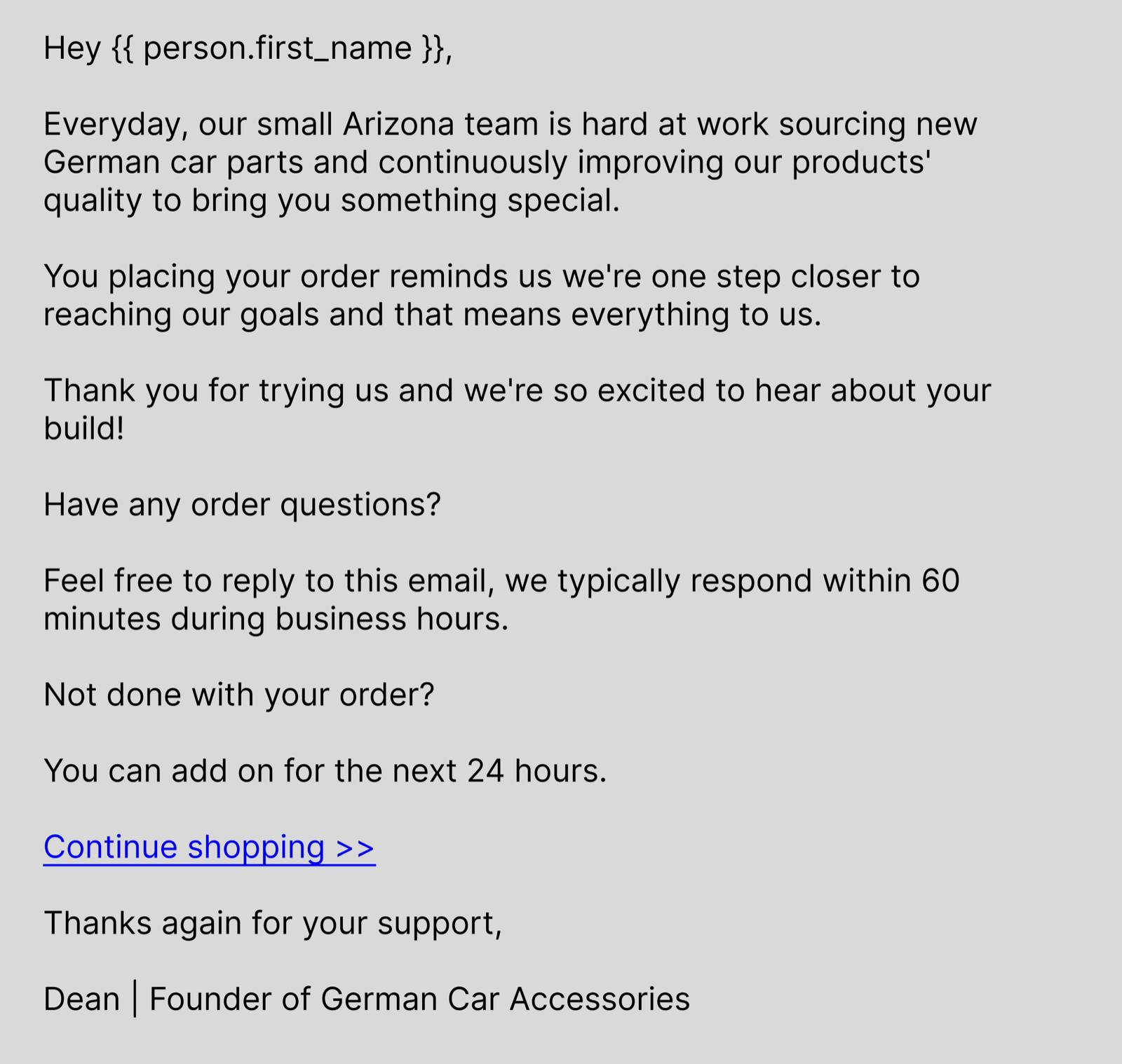

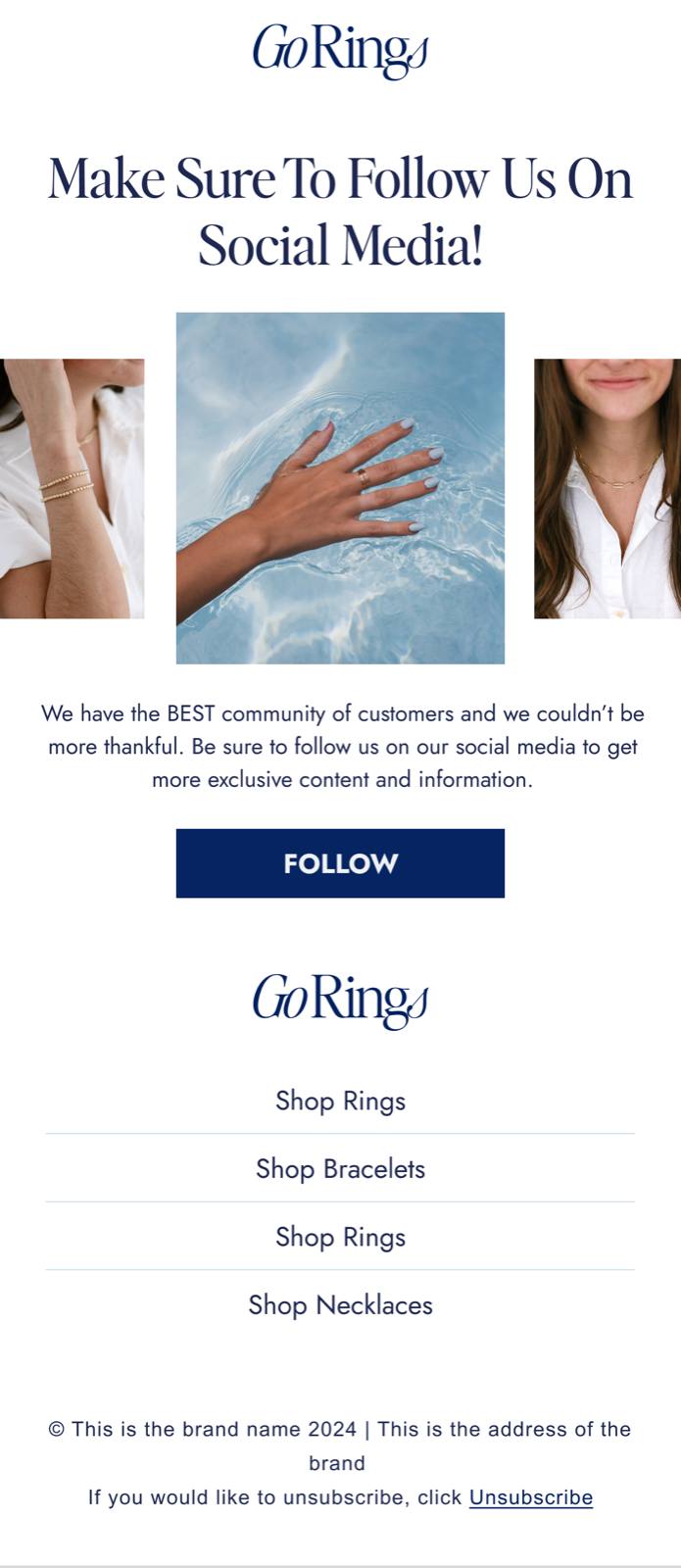
Click an image to open a larger version.
The long-term optimization strategy
⚠️ The downside of testing inside flows. It quickly becomes hard to manage, difficult to monitor at scale, and painful to track, report on, and document.
Use campaigns as your testing ground
Instead of keeping dozens of active tests across different flows — with various triggers and different content — we do most of our testing in campaigns. Test new angles often and run A/B tests in your email campaigns.
Go back and update your flow emails (across all triggers) with the angle that's already proven itself:
An email about how the product is made → Welcome flow
How to get the most out of the product → Post-purchase flow
Return policy email → Abandoned cart flow
Don't reinvent the wheel — just move what's already proven itself in campaigns into your flows.
A/B tests specifically for flows
How much time passes between the customer's action and the first email, and the gaps between the emails in the flow.
A quick impulse decision or working through objections (especially in abandoned cart flows).
With a discount or without, with emoji or without, with "…" or without, ALL CAPS or not.
Copy-heavy or visual-driven content; for your most important emails, plain text often wins.
Some lists buy by category, others — by a specific product.
10 ready-made email templates
I've put together 10 winning email templates you can copy right away and adapt for your flows and campaigns. Completely free — just open and use.
Open the templates in Canva →Opens in Canva · no payment required · use it right away
Want all of this built and optimized for you?
If you run an e-commerce business generating at least $20,000+/month, book a free intro call.
Free and no strings attached · 30 min · pick a time that works for you above.
That's it for now!
Thanks for reading — I hope you found it useful. Questions? Email info@mailyscaly.com, we'll be happy to help.